The gap between technology in a school and technology that supports learning is wider than most IT budgets acknowledge. A computer laboratory that is fully equipped but offline half the time, or connected but running devices that cannot handle the applications students actually need, is not an educational asset, it is a source of frustration for staff and students alike.
This guide addresses the infrastructure decisions that determine whether technology serves the educational mission of a Nigerian school or university, not just whether it is present on the premises.
The core question: what are you trying to enable?
Before specifying any technology, the institution should be clear on what it is trying to achieve. The IT requirements for a secondary school running a basic ICT curriculum are different from those of a university running research, e-learning, a student portal, and administrative systems across a multi-building campus.
A useful framing: work backwards from the students and staff who will use the technology. What tasks must they be able to complete? Where will they do it, in a lab, in classrooms, in halls of residence? What systems depend on internet connectivity, and what can function offline? Answering these questions before procuring equipment prevents the common outcome of buying hardware that does not match the actual use case.
The goal is not "the school has computers." The goal is "students and teachers can do specific, valuable things with technology that they could not do otherwise."
Connectivity: the foundation that everything else depends on
For most Nigerian educational institutions, internet connectivity is the single most impactful infrastructure investment, and the one most often under-resourced.
Primary link: The choice of primary connection type depends on location and what carriers serve the area. For urban institutions, fibre should be the first option evaluated. For institutions in areas where fibre is not available, point-to-point wireless links and dedicated cellular (4G/5G fixed wireless) are viable alternatives. Satellite connectivity has improved considerably and is a practical option for institutions in underserved areas.
Bandwidth planning: A common mistake is sizing bandwidth to the number of enrolled students rather than to the number of concurrent users and the nature of their activity. A secondary school with a single computer lab of 30 students doing simultaneous web-based research has a different bandwidth need from a university where hundreds of students stream lecture content and access cloud-based learning tools. Plan for peak concurrent usage, not average load.
Redundancy: For an institution where classes depend on online resources, a single connectivity link is a single point of failure that can disrupt a full teaching day. A secondary failover link, even a cellular backup, significantly reduces the operational impact of a primary link failure.
Content management: Most educational institutions benefit from a local caching or content filtering layer that reduces effective bandwidth consumption and provides age-appropriate content controls where relevant.
Power infrastructure for educational environments
Schools and universities face the same Nigerian power reality as every other sector, with some specific characteristics:
- Campus environments often have multiple buildings that may not share a single power infrastructure. Each building with significant IT equipment needs its own power protection.
- Computer laboratories have a concentrated load (many devices in one room) that requires careful UPS sizing.
- Server rooms or data rooms on campus must have priority UPS coverage and, ideally, dedicated generator priority.
- Air conditioning in computer labs is both a comfort and an equipment protection measure, sustained high temperatures shorten device lifespans significantly.
Plan power protection by building and by room, not as a single campus-wide number. A UPS that covers the server room and network core is more valuable than a larger UPS spread across many rooms that provides insufficient runtime to any of them.
Computer laboratories: design for maintainability
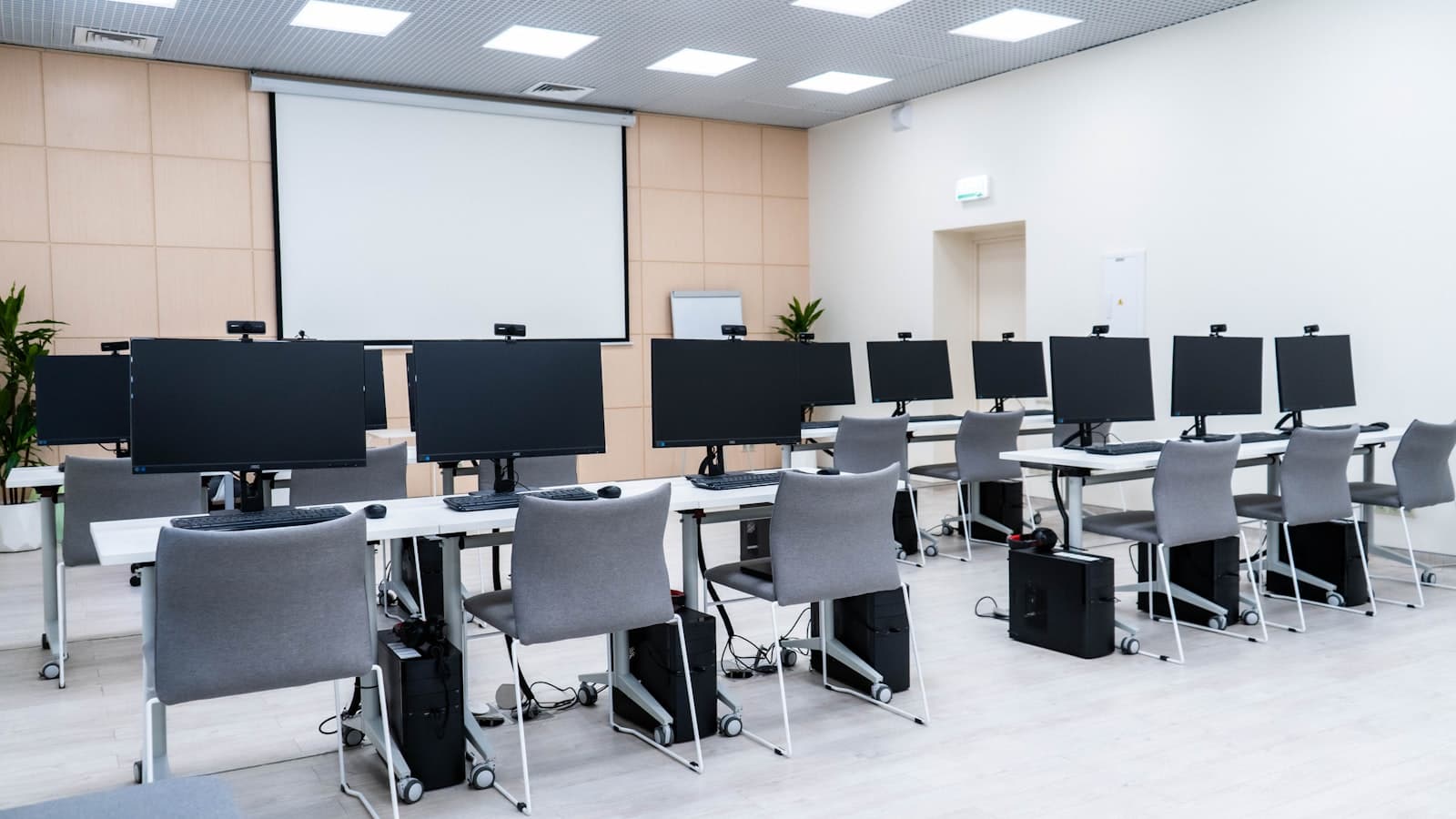
A well-designed computer lab is easier to manage and cheaper to keep running than a poorly planned one.
Device selection: For secondary and tertiary education, the key specifications are sufficient processing power and RAM to run the applications on the curriculum without significant lag, durable build quality appropriate to a multi-user environment, and a form factor that suits the lab layout (all-in-one machines reduce cable clutter; tower desktops are cheaper to repair and upgrade).
Network in the lab: Every workstation in a computer lab should have a wired connection. Wireless connectivity is useful for tablets and devices outside the lab, but a lab that depends on wireless for 30 simultaneous workstations will have reliability problems that undermine the teaching environment.
Device management: A lab with 30 or more workstations that is managed individually, where software installation, updates, and security must be done one machine at a time, is a maintenance burden that most institutions cannot sustain. Centralised device management (Windows domain, or a management platform for the OS in use) is not optional at lab scale; it is what makes the lab maintainable with limited IT staff.
Lab supervision software: Many educational environments use laboratory supervision software that allows a teacher to view and control student screens, push content to student machines, and lock devices during assessments. This is a valuable tool but adds to the management and support overhead, plan for it during the design phase.
Campus-wide connectivity and Wi-Fi
For secondary and tertiary institutions where technology use extends beyond a single lab, campus-wide Wi-Fi is increasingly a baseline expectation:
- Access point placement: Coverage should be planned by a site survey, not guessed. Access point placement that is based on a floor plan rather than actual signal measurement will produce coverage gaps and performance problems.
- Capacity: In a university environment particularly, the number of concurrent wireless devices in a lecture theatre or library can be very high. Specify access points for the density, not just the area.
- Segmentation: Student Wi-Fi and staff/administrative Wi-Fi should be on separate SSIDs and VLANs. If there are IoT devices on campus (access control, CCTV, building management), they should be on a further isolated segment.
Administrative and management systems
Beyond classroom technology, an educational institution has administrative IT needs: student information systems, learning management systems (LMS), financial and HR systems, library management, and communications infrastructure. A few principles:
- The administrative network and the academic network should be separated. Student devices should not have routing access to administrative servers.
- Cloud-based SaaS systems (LMS platforms, student portals) reduce the on-premise server footprint but increase dependency on internet connectivity, factor this into connectivity planning.
- Administrative data, student records, financial data, staff HR records, falls under Nigeria Data Protection Act (NDPA) obligations. Access controls, data retention practices, and backup procedures need to reflect this.
Solid infrastructure solutions for an educational institution will address both the academic and the administrative layer in an integrated plan, rather than treating them as separate projects.
Support: who keeps it running?
The sustainability of educational IT depends on a realistic support model. Most schools and universities do not have the internal staffing to maintain complex IT infrastructure on their own, and the best-specified installation will deteriorate without consistent maintenance.
For the education sector, a practical model typically involves:
- An internal IT coordinator (or IT department for larger institutions) who handles day-to-day requests, manages vendor relationships, and coordinates scheduled maintenance.
- An external support partner providing proactive monitoring, scheduled preventive maintenance, and response to issues beyond the internal team's capacity.
- A clear asset register and maintenance schedule, devices don't maintain themselves, and institutions that do not schedule maintenance end up doing reactive crisis management instead.
Frequently asked questions
Is a single campus-wide server room better than distributed IT equipment across buildings?
For most institutions, a centralised server room or data room is preferable: it is easier to provide reliable power protection, physical security, and cooling in one location than across many. Network equipment that serves multiple buildings should be in the central location. Each building can have a small distribution switch, but active computing infrastructure should be centralised where possible.
What is a realistic refresh cycle for educational IT equipment?
For workstations in a high-use lab environment, a four-to-five year refresh cycle is typical. Devices depreciate faster in multi-user environments than in individual-use settings, and software and curriculum requirements evolve. Network infrastructure typically lasts longer, six to eight years is reasonable for switches if they are maintained, but must be reassessed when traffic demands or wireless standards change significantly.
How should an institution approach the decision between cloud-based and on-premise systems?
The answer depends on connectivity reliability at the specific location. Cloud-based systems (LMS platforms, SaaS administrative systems) are generally lower maintenance and benefit from the vendor's infrastructure, but they require consistent internet access to function. For institutions in locations with genuinely reliable connectivity, cloud-first is a defensible approach. For institutions where connectivity is intermittent, on-premise or hybrid deployments that support offline operation are more appropriate.
Can a small secondary school manage IT without a dedicated IT staff member?
With centralised device management and a managed service arrangement, a small school can manage without a full-time IT member, but it cannot manage without a named person who owns the relationship with the support provider, handles user requests, and ensures maintenance happens. That person does not need to be an IT specialist, but the responsibility needs to be clearly assigned.